Highlights, notes, and reading the bare drawing
Not everything on a takeoff is a count. Questions, flags, and review marks belong on the sheet too, where they're impossible to lose.
Try it: the Notes lesson opens sample sheets in the app and walks this with you, two or three minutes, checking each step against what you actually did.
Highlights
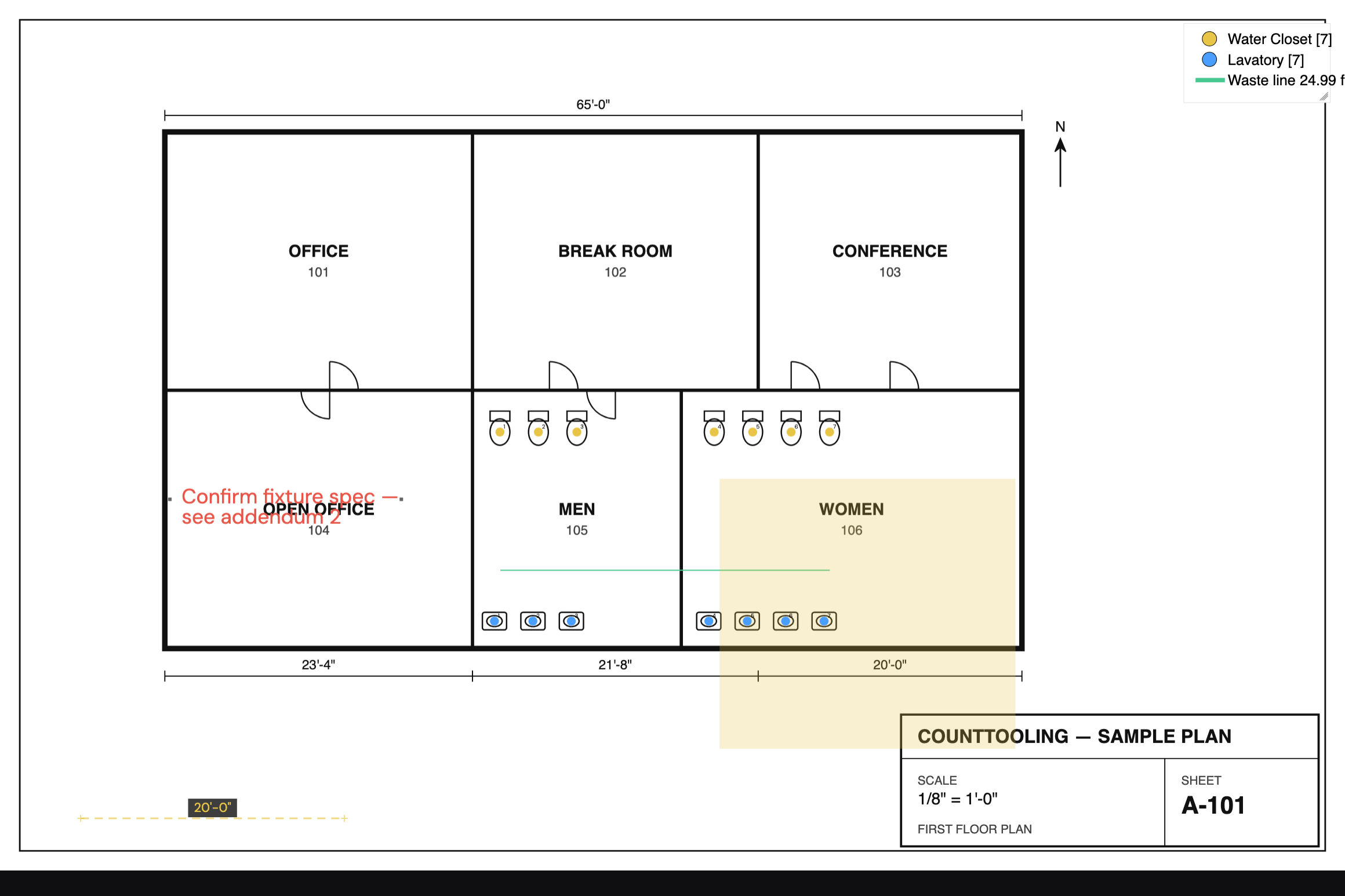
The Highlight tool (H) draws a translucent rectangle over a region ("look at this") without touching any numbers. Drag a box, or click corner, corner. Use them to flag conflicts, unclear areas, or scope boundaries; they can be bundled into the exported PDF so reviewers see them too.
Name a highlight and jump back to it
A highlight can carry a name: right-click it → "Name highlight…". The name paints as a small tag on the sheet, and it turns the highlight into a bookmark. With the Highlight tool active, the Highlights panel lists every highlight in the project with its page; click a row to jump straight to that page, or the ✎ to name or rename one. (Right-clicking the Highlight button opens the same panel.)
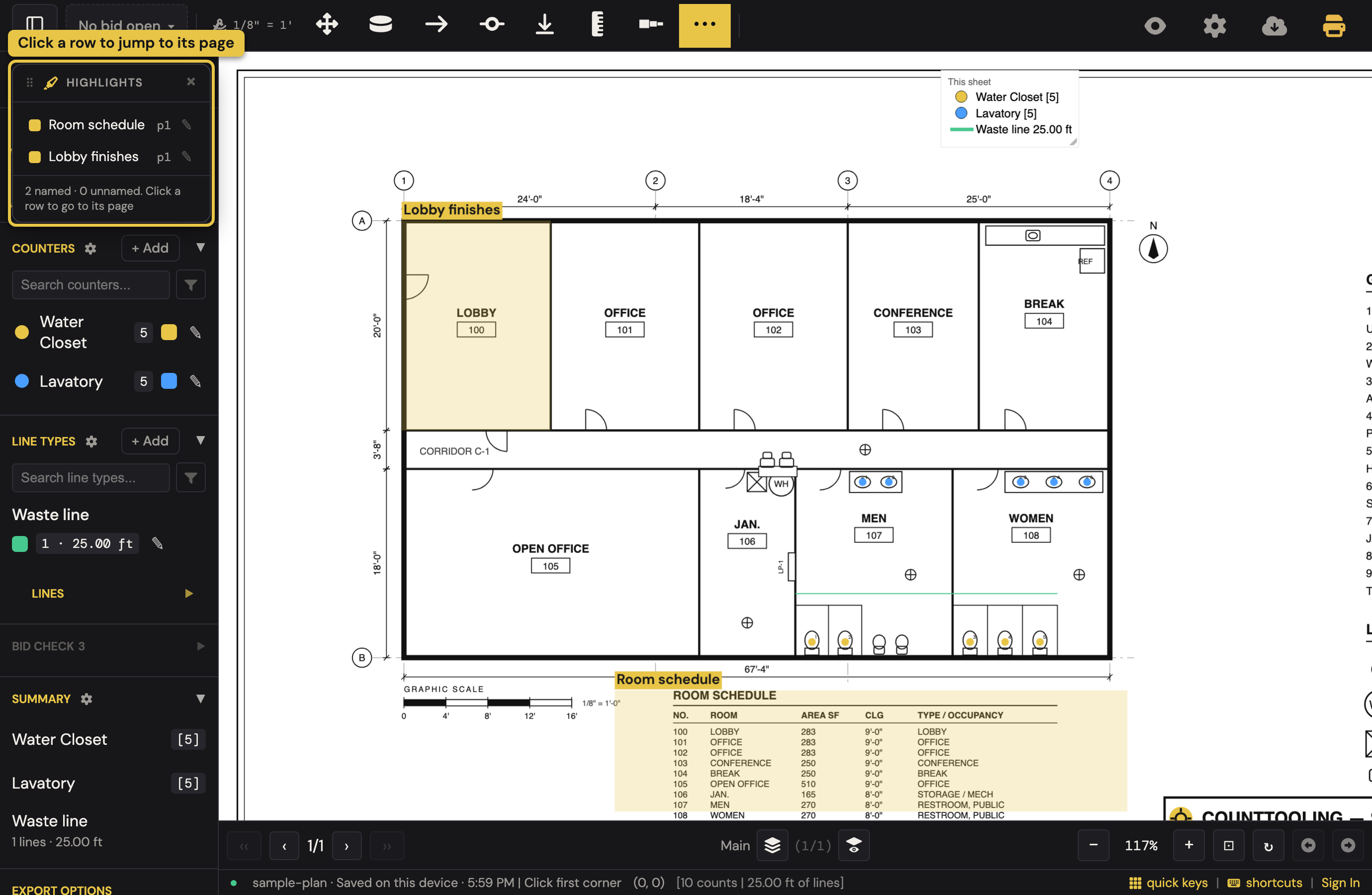
That's the hand-off move when someone else checks your bid: highlight the pipe-material spec, name it "Pipe material," do the same for the fixture schedule and any note that matters; the reviewer opens the panel and lands on each reference point in one click instead of paging through the set. Names ride the project through save, share, and export/import, and the tags print on exported PDFs.
Notes
The Note tool (N) pins text to a spot: click, type, done. Notes render in red on the sheet and are made to be worked with:
- Move them by dragging. Two handles resize: the one at the note's right edge sets the width, the one at the left edge sets the text size; watch the cursor flip between ↔ and ↕ to know which one you're on.
- Edit by double-clicking (or the right-click menu).
- Long text wraps automatically.
A question written where it applies beats a question in an email thread, and notes can be bundled into the PDF export, so the deliverable carries the conversation.
The legend
The legend overlay is the on-sheet scoreboard: counts and lengths by type (and room volumes when you use the Room Sizer), updated live. Drag it wherever it doesn't cover work; resize it by its corner. Legend Settings (right-click the legend button) control background opacity and color, border, text opacity, and overall scale; tune it to sit quietly on the sheet.
Hide marks: the bare drawing
The eye button in the header peels the entire overlay off (counters, lines, highlights, notes, legend) so the drawing underneath reads clean. Tap again to bring everything back. It's purely visual: no data changes, exports are unaffected, and it persists as you flip pages. While hidden, marks can't be moved or edited either, so it's safe to hand the mouse to anyone. View-link recipients get the same toggle, and their choice is remembered per link.
The grid
For layout-heavy review, the Grid overlay draws an adjustable real-unit grid over the sheet (spacing, origin, color, line style), with optional snapping while you draw. It's view-only, never exported, and needs the page scale set first.
Related: Keeping a dense takeoff organized · Reports & exports