Sharing takeoffs and view links
When a project lives in the cloud, more than one person can work with it, safely, without overwriting each other.
Viewers and editors
Sharing starts after you sign in; signed out, none of the share controls exist yet. Once you're in with a cloud project open, the Share dialog lives in two places: the share icon at the top of the sidebar, and Project Settings → Share (on a phone, Share sits in the menu drawer). Add people by email and pick a role:
- Viewer: can open and browse the takeoff but not change it.
- Editor: can make changes, one editor at a time (see check-out below).
Any project member can add people, and roles can be changed or removed from the same dialog later.
One editor at a time (check-out)
To avoid two people saving over each other, editing uses check-out: an editor checks the project out to make changes, and turns it in when done to release it. The lock holds while you're active and expires after about 30 minutes of inactivity, so a project never stays stuck if someone walks away. (Admins can force a turn-in if needed.) When the project frees up, anyone waiting is notified that it's available.
When a bid is finished, not just turned in for the day, Project Settings has a Bid review row to mark it Ready for review for the company's reviewer. See Reviewing every bid.
View-only links: no sign-in
Sometimes you just need to show a takeoff to someone who isn't a CountTooling user: a GC, an owner, an inspector. A view link does that:
- Create the link from the Share dialog's view-links section and copy the URL.
- The recipient opens it and enters their email, gated to your allowed domain, and views the plans, no account required:
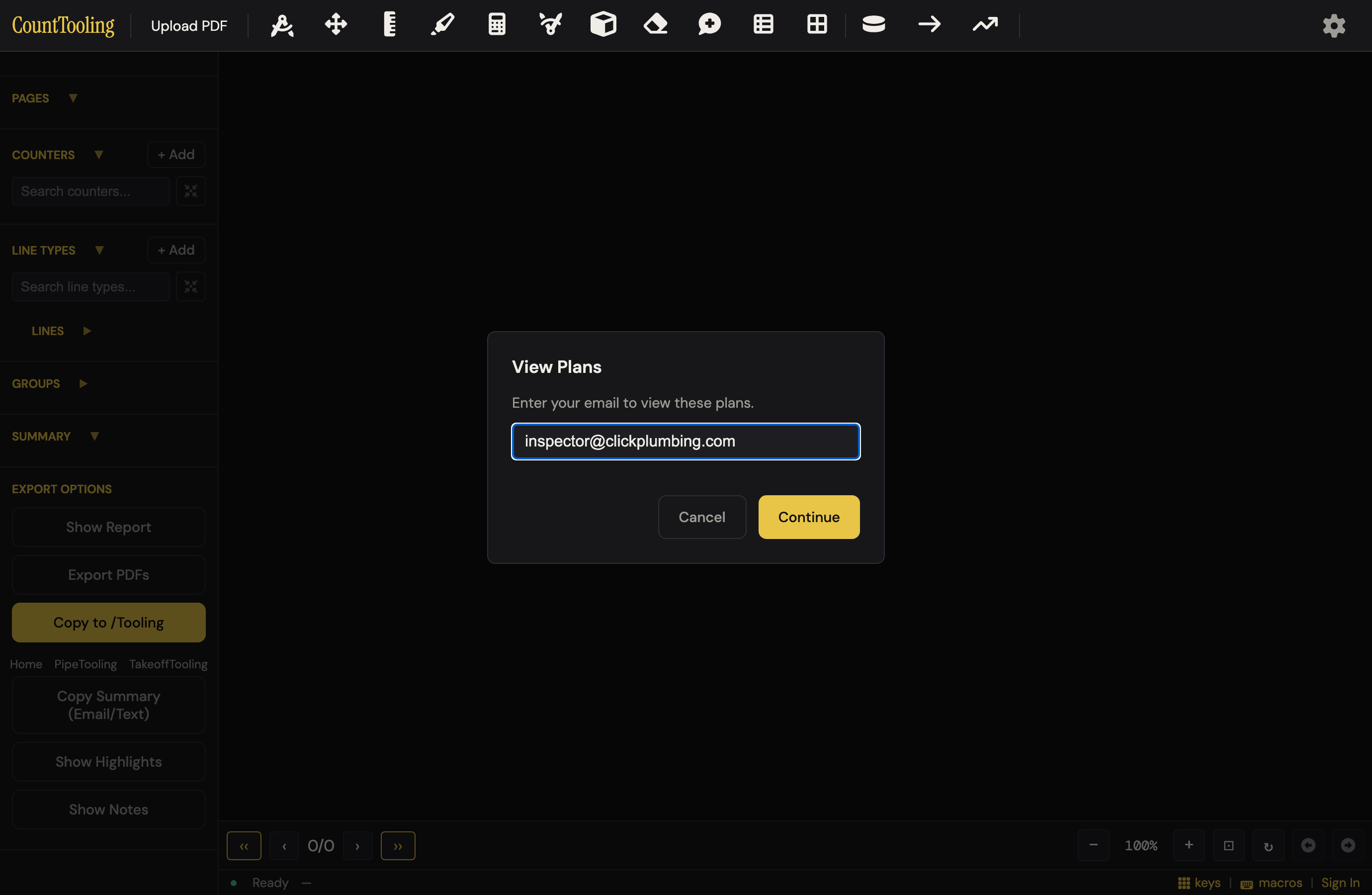
- Each link has an access log (who opened it, when), and you can revoke any link at any time from the same panel.
- If the link has been revoked or replaced, the recipient sees a plain full-screen note asking them to request a new link from the sender, revocation holds even if they'd viewed the plan on that device before. A connection problem shows a Retry button instead, so a spotty signal never looks like a dead link.
What the recipient sees
The viewer gets the live takeoff (the real marks, tallies, and legend, not a static export) with pan, zoom, page navigation, and canvas layers to browse:
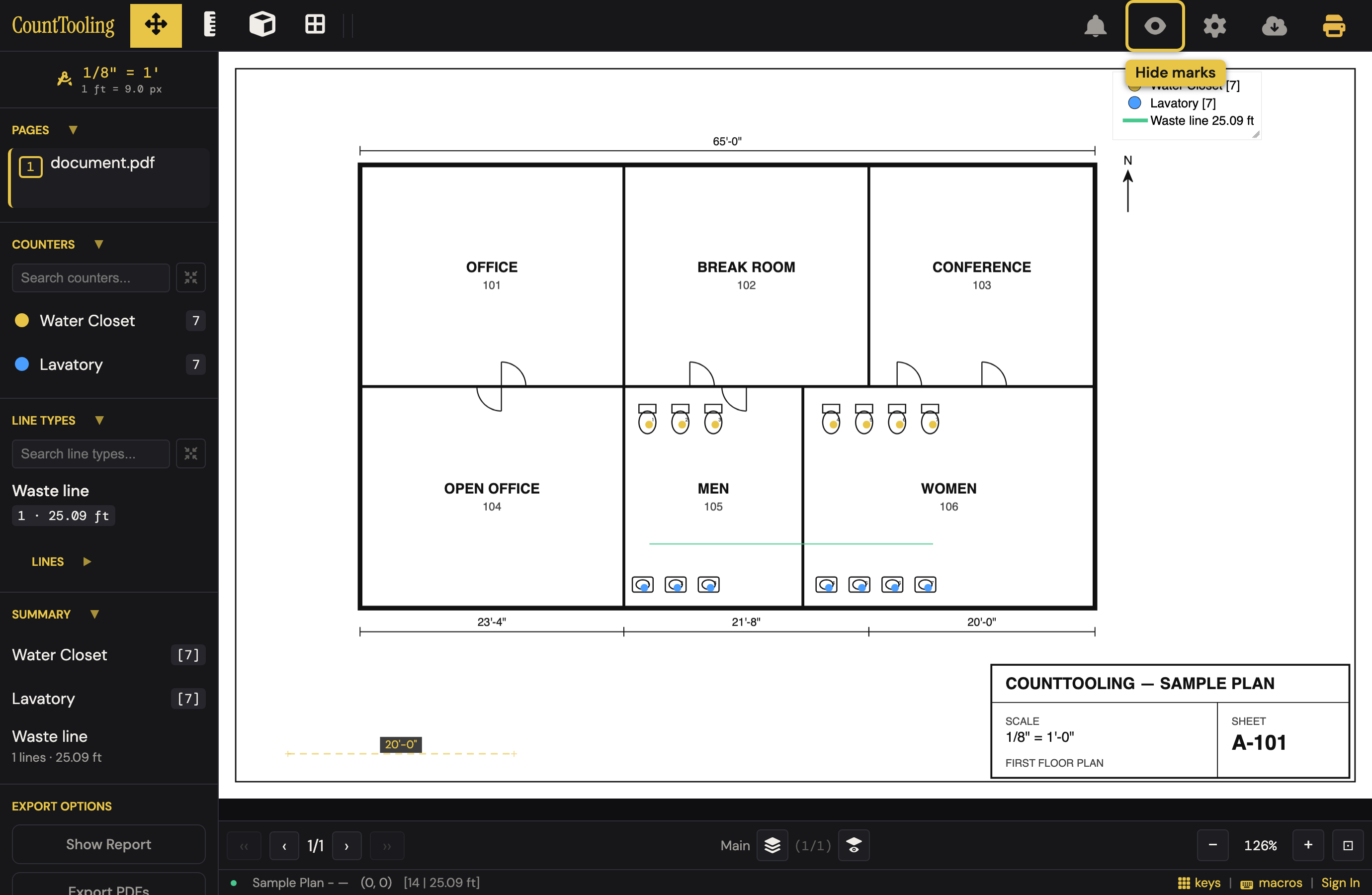
- The Hide marks eye peels the takeoff off the drawing and back, handy on a phone, and their choice is remembered per link.
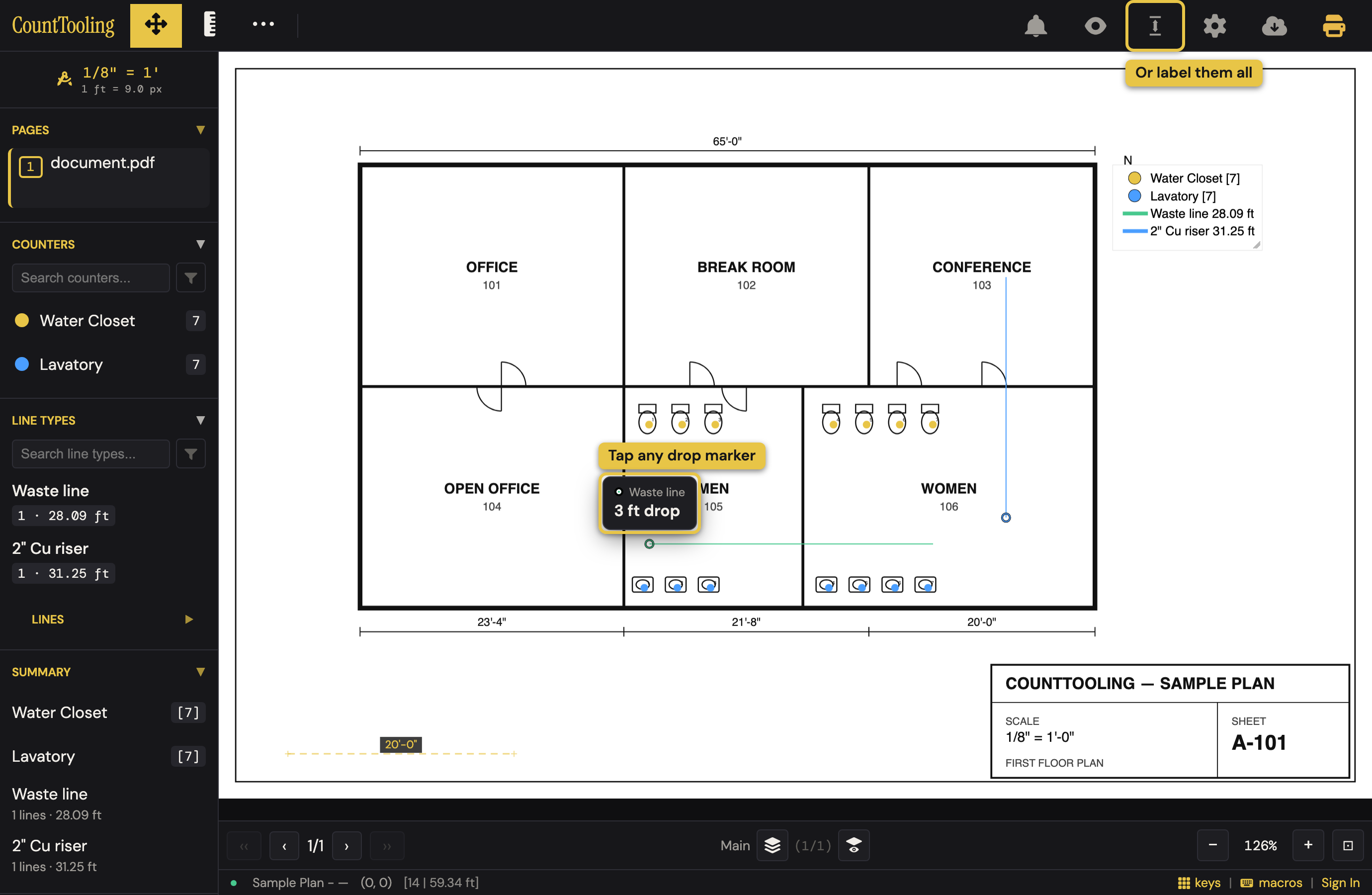
- Every mark identifies itself. Tapping a counter marker peeks its name and number ("Water Closet, #4 · 7 on this page"), and tapping any drop marker peeks its size in a chip ("3 ft drop"). The Drop sizes toggle labels every drop on the sheet at once, off by default so the drawing stays clean, and remembered per link like Hide marks. Risers and stacks answer themselves instead of prompting a call. (Full detail: reading drops back.)
- The Measure tool works in view mode, so they can check a dimension themselves in two clicks. On a sheet with no scale set yet it reads in raw
px; set the scale (pressS) and it reads feet. - They can even run Set Scale on an uncalibrated sheet; the scale shares back to the project for everyone, with a notice to the owner. A field question answers itself instead of round-tripping through email.
Your work is saved as you go
Whether or not a project is shared, CountTooling auto-saves every few seconds with local backups, and, once you've loaded a project in the installed app, keeps working even without a connection, syncing back up when you reconnect. For what the save indicators mean (and what happens if an edit session expires), see How your work is saved.